USB Interface
Interface Overview
The USB interface uses the standard USB protocol and supports both power delivery and high-speed data transfer. It can connect cameras, keyboards, mice, USB drives, wireless adapters, speakers, and many other peripherals, with good compatibility and expandability. Depending on the connector specification, it can provide multi-Gbps bandwidth for high-speed data capture, model deployment, peripheral access, and debugging.
Case Objective
Open a USB camera and display the video stream in real time.
Required Hardware
- RDK X5 development board
- USB camera
Hardware Connection
Plug the USB camera into a USB port on the RDK X5 development board.
Create usb_camera.py
Create a usb_camera.py file and paste the following code:
import cv2

# Open the USB camera
# 0 is the default camera; change to 1, 2, ... if multiple cameras are connected
cap = cv2.VideoCapture(0)

# Check whether the camera opened successfully
if not cap.isOpened():
    print("Failed to open the USB camera")
    exit()

# Set the camera resolution (optional)
cap.set(cv2.CAP_PROP_FRAME_WIDTH, 640)
cap.set(cv2.CAP_PROP_FRAME_HEIGHT, 480)

print("USB camera started. Press q to exit")
try:
    while True:
        # Read one frame
        ret, frame = cap.read()

        if not ret:
            print("Failed to read camera data")
            break

        # Display the image
        cv2.imshow("USB Camera", frame)

        # Press q to exit
        if cv2.waitKey(1) & 0xFF == ord('q'):
            break
except KeyboardInterrupt:
    print("\nInterrupted by user, exiting...")
finally:
    # Release resources
    cap.release()
    cv2.destroyAllWindows()
Run the Sample
This case must be started from MobaXterm or the system desktop. A terminal that cannot display a window will report an error.
Run the sample with the following command:
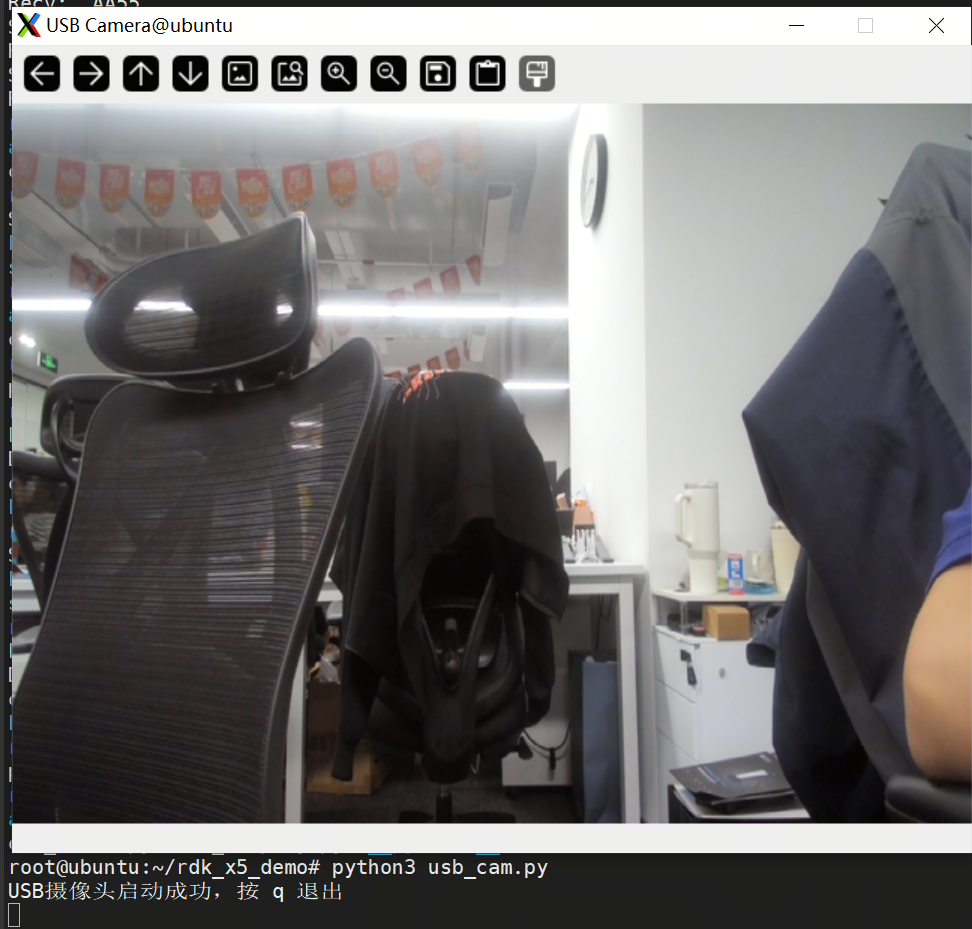
python3 usb_camera.py
After it starts, the camera stream is displayed in real time.