UART Interface
Interface Overview
The UART (Universal Asynchronous Receiver/Transmitter) interface provides reliable serial communication for sending and receiving data between devices. It is simple, easy to extend, and widely compatible. Typical uses include connecting sensors, communication modules, debug tools, and other embedded peripherals for status monitoring, data transfer, and device control.
Case Objective
Run a UART loopback test. On the RDK X5 development board, the device path is /dev/ttyS1.
Required Hardware
- RDK X5 development board
- Jumper cap
Hardware Connection
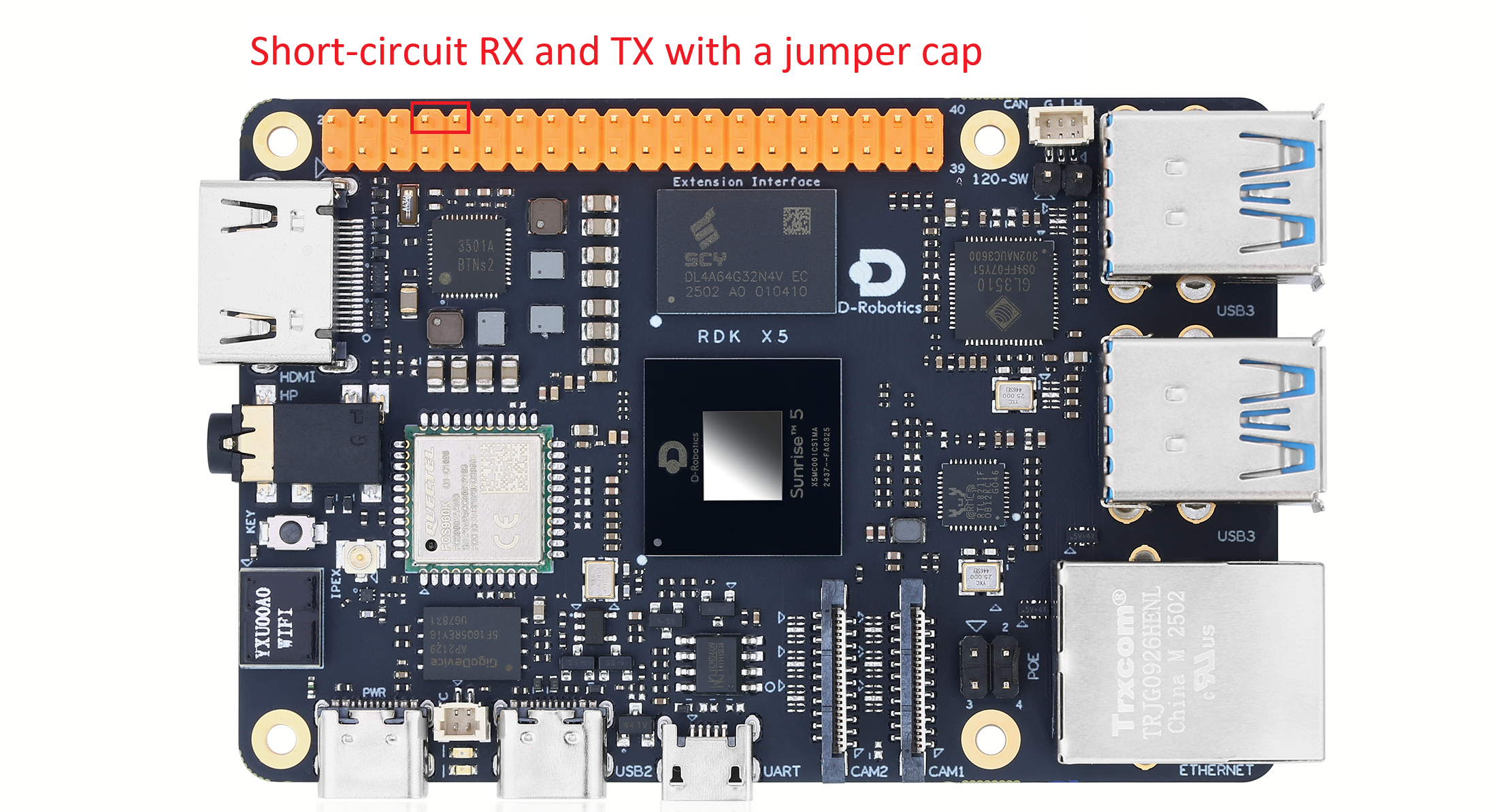
Pin Mapping
In normal use, connect the external device RX pin to the board TX pin, and the device TX pin to the board RX pin.
| Pin name | Board pin | Function |
|---|---|---|
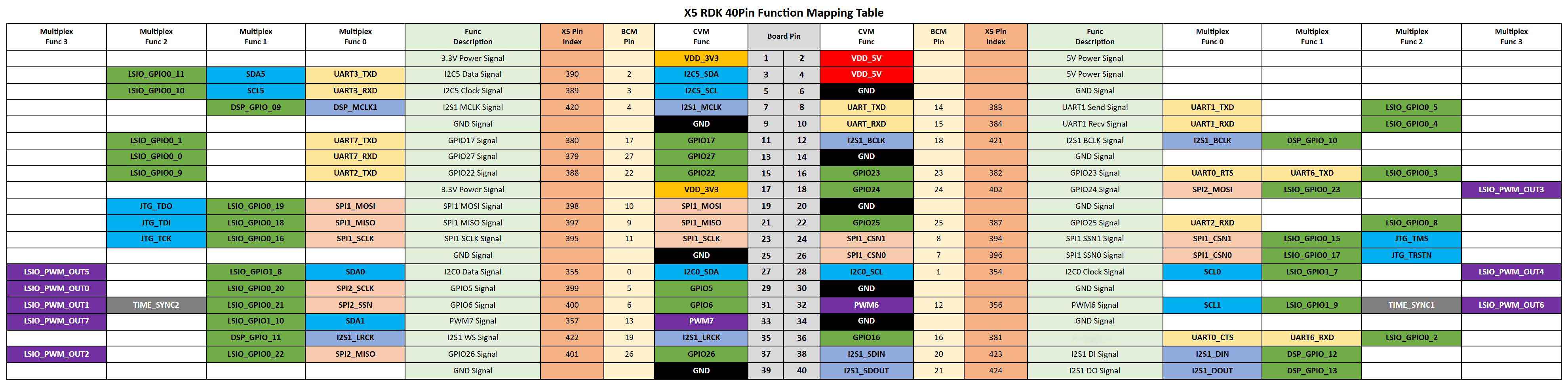
| UART_TX | 8 | Transmit |
| UART_RX | 10 | Receive |
40-Pin Header Definition
Sample Code
Create a uart_loopback.py file and paste the following code:
#!/usr/bin/env python3

import sys
import signal
import os
import time

# 导入python串口库
import serial
import serial.tools.list_ports

def signal_handler(signal, frame):
    sys.exit(0)

def serialTest():
    print("List of enabled UART:")
    #X5使用/dev/ttyS1
    uart_dev= "/dev/ttyS1"

    baudrate = input("请输入波特率(9600,19200,38400,57600,115200,921600):")
    try:
        ser = serial.Serial(uart_dev, int(baudrate), timeout=1) # 1s timeout
    except Exception as e:
        print("open serial failed!\n")

    print(ser)

    print("Starting demo now! Press CTRL+C to exit")

    while True:
        test_data = "AA55"
        write_num = ser.write(test_data.encode('UTF-8'))
        print("Send: ", test_data)

        received_data = ser.read(write_num).decode('UTF-8')
        print("Recv: ", received_data)

        time.sleep(1)

    ser.close()
    return 0

if __name__ == '__main__':
    signal.signal(signal.SIGINT, signal_handler)
    if serialTest() != 0:
        print("Serial test failed!")
    else:
        print("Serial test success!")
Run the Sample
Run the sample with the following command:
python3 uart_loopback.py
After it starts, you can select the baud rate. The program continuously prints the sent and received data AA55.
