CAN Interface
Interface Overview
CAN (Controller Area Network) is a serial bus designed for real-time control. Devices exchange data over differential lines (CAN_H and CAN_L). It is robust against interference, highly reliable, and supports multi-node networks. Nodes can communicate in real time without a dedicated host arbiter. Typical uses include automotive electronics, industrial control, robots, smart devices, and motion control.
Case Objective
Control a motor through the CAN interface.
Required Hardware
- RDK X5 development board
- Jumper cap
- CAN motor (GM6020)
- ESC hub board
- 24 V power adapter
Hardware Connection
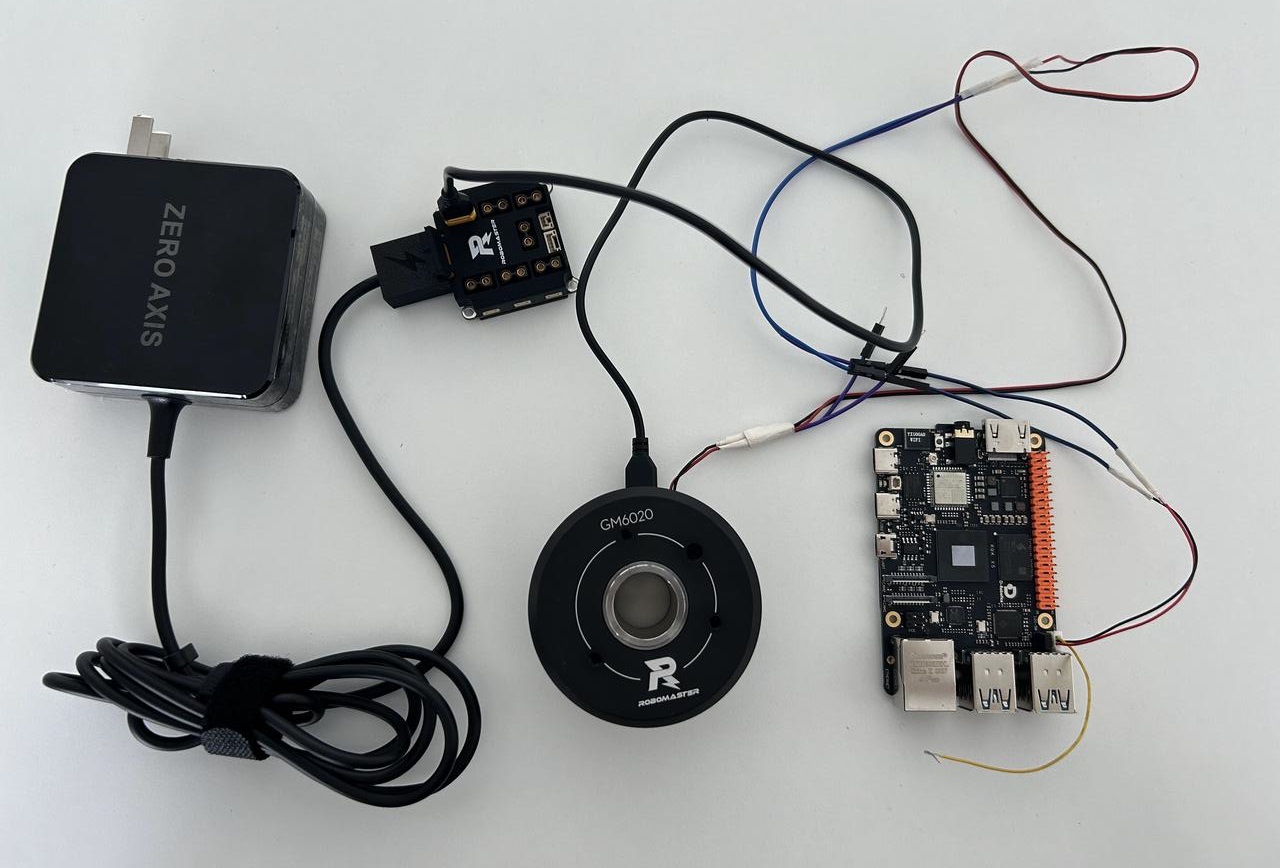
If the CAN cable between two devices is longer than 1 meter, or the bitrate is higher than 125 Kbps, close the termination resistor switch. This case uses a GM6020 motor at 1 Mbps, so use a jumper cap to close the 120 Ω termination resistor switch.
- RDK X5 board connector: SH1.0 1X3P
- GM6020 connector: GH1.25 mm 2P
Dependencies and Environment Setup
# Install dependencies
pip install python-can
pip install -U typing_extensions

# Set up the CAN device
sudo ip link set can0 up type can bitrate 1000000
Sample Code
Create a can_motor.py file and paste the following code:
#!/usr/bin/env python3

import can
import time
import argparse

def parse_args():
    parser = argparse.ArgumentParser(
        description="GM6020 CAN control"
    )
    parser.add_argument(
        "--channel",
        default="can0"
    )
    parser.add_argument(
        "--motor",
        type=int,
        default=1,
        help="motor id 1-7"
    )
    parser.add_argument(
        "--voltage",
        type=int,
        default=0,
        help="-30000~30000"
    )
    return parser.parse_args()

class GM6020:

    def __init__(self, channel, motor_id):
        self.bus = can.interface.Bus(
            channel=channel,
            interface="socketcan"
        )
        self.id = motor_id

    def send_voltage(self, value):
        value = max(
            -30000,
            min(30000,value)
        )
        data=[0]*8
        index=self.id-1
        data[index*2] = (
            value >> 8
        ) & 0xff
        data[index*2+1] = (
            value
        ) & 0xff
        msg=can.Message(
            arbitration_id=0x1FF,
            data=data,
            is_extended_id=False
        )
        self.bus.send(msg)

    def read_feedback(self):
        while True:
            msg=self.bus.recv(
                timeout=0.1
            )
            if msg is None:
                continue
            if msg.arbitration_id == (
                0x204+self.id
            ):
                data=msg.data
                angle = (
                    data[0]<<8
                    | data[1]
                )
                speed = (
                    data[2]<<8
                    | data[3]
                )
                current = (
                    data[4]<<8
                    | data[5]
                )
                temp=data[6]
                if speed>32767:
                    speed-=65536
                if current>32767:
                    current-=65536
                return {
                    "angle_raw":angle,
                    "angle_deg":
                    angle*360/8192,
                    "speed":
                    speed,
                    "current":
                    current,
                    "temperature":
                    temp
                }
    def close(self):
        if self.bus is not None:
            self.bus.shutdown()
            print("CAN bus closed")

def main():
    args=parse_args()
    motor=GM6020(
        args.channel,
        args.motor
    )
    print(
        "GM6020 start"
    )
    try:
        while True:
            # 控制
            motor.send_voltage(
                args.voltage
            )
            #读取
            state=motor.read_feedback()
            print(
                state
            )
            time.sleep(
                0.02
            )
    except KeyboardInterrupt:
        print("Exit by user")
    finally:
        motor.close()

if __name__=="__main__":

    main()
Run the Sample
Run the sample with the following command:
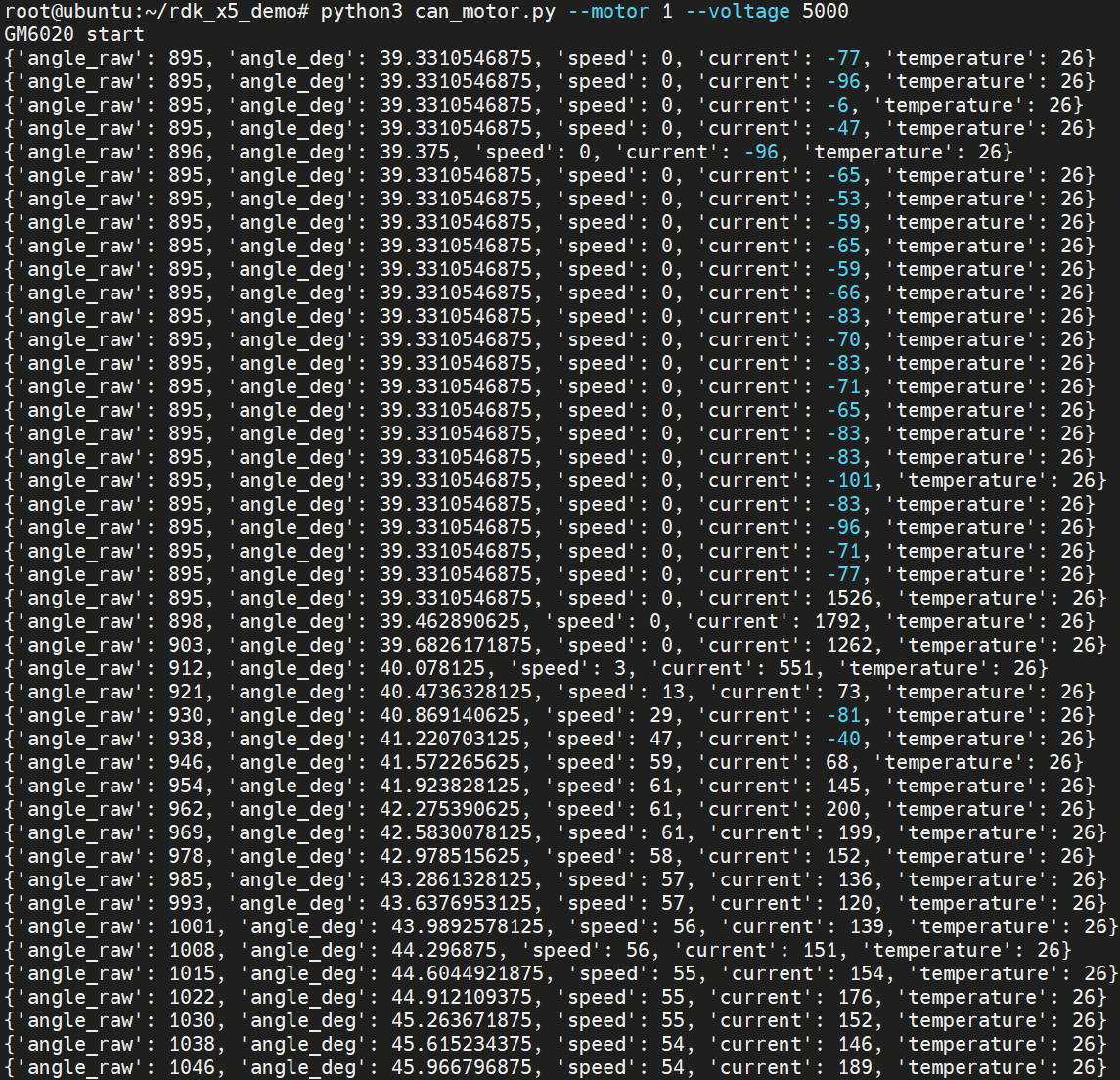
python3 can_motor.py --motor 1 --voltage 5000
After it starts, the motor rotates in the specified direction and at the specified speed, and the current motor status is printed.