3.14.2 Connect WeChat
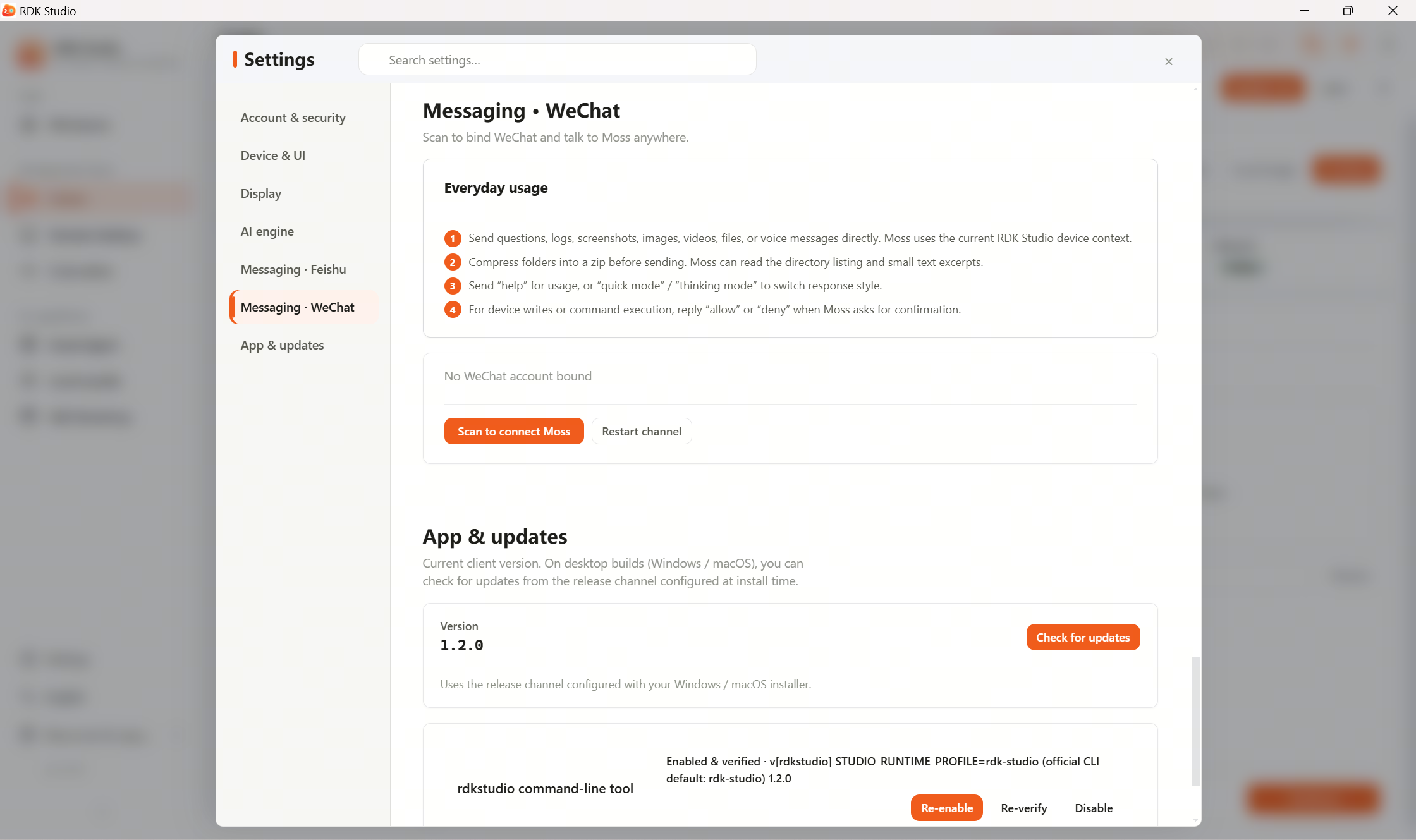
The WeChat channel connects Moss by binding your personal WeChat account—not WeCom (enterprise WeChat). After binding, you can message the bot in WeChat, check on-device status, or trigger configured tasks.
Binding steps
| Step | Action |
|---|---|
| 1 | Settings center → Message channels · WeChat → Bind WeChat |
| 2 | Studio shows a QR code |
| 3 | Scan with WeChat |
| 4 | You receive a “binding succeeded” message in WeChat |
| 5 | Message the bot anytime to talk to Moss |
After binding, a new contact (or group bot, depending on channel settings) appears in WeChat; chatting with that contact is chatting with Moss.
Management
| Action | Where |
|---|---|
| View bound accounts | WeChat → User list |
| Remove a binding | User list → select account → Remove |
| Restart WeChat channel | WeChat → Channel control → Restart |
WeChat limitations
| Limitation | Impact |
|---|---|
| Personal WeChat | Only a small number of accounts can be bound at once (exact cap depends on WeChat) |
| High‑risk actions | Also require a second confirmation, same as Feishu |
| Rich text | WeChat chat UI is limited; long output may be truncated or split |
| File transfer | Subject to WeChat APIs; use other paths (e.g. SSH) for large files |
| Account risk | Heavy automated messaging may trigger WeChat risk controls—use carefully |
When to use
| Scenario | Recommendation |
|---|---|
| Check device status while away from the office | Recommended |
| Let the whole team operate devices from a WeChat group | Not recommended (prefer a Feishu enterprise bot) |
| Long‑running unattended bot on WeChat | Not recommended (account risk; prefer enterprise bot platforms or Feishu) |
OpenClaw on device
To handle WeChat messages on the device, follow the page hints to configure the WeChat channel for on-device OpenClaw:
- Open Settings center → Message channels · WeChat
- Configure or scan to bind
- Choose on-device handling as prompted
- Send a test message and confirm the reply
PC-side and device-side bindings can coexist, but do not bind the same WeChat account in both places—message handling may conflict.