4.1.1. PTQ Principle and Steps
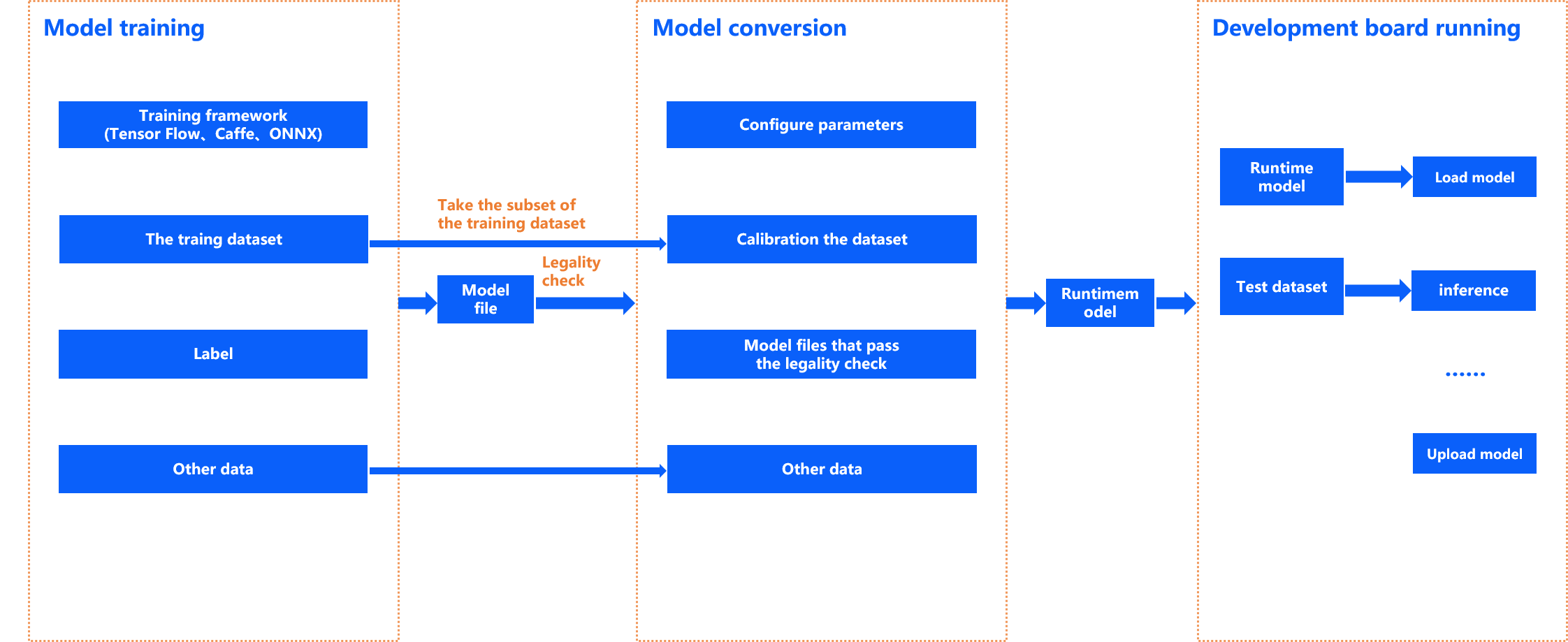
Environment Deployment: It is used to build the dependency environment for model transformation and application development. This operation only needs to be done once for the first usage of toolchain. For the detailed deployment method, please refer to Environment Deployment section.
Model Training: It is the process of getting a usable model by using public deep learning frameworks such as TensorFlow, PyTorch, Caffe, etc. The trained model will serve as the input for the model conversion stage. The toolchain does not provide training-related libraries or tools. For the detailed supported public learning frameworks, please refer to the instructions in the Floating-point Model Preparation .
Model Conversion: Taking the floating-point model obtained from model training as input, this stage transforms floating-point models into hybrid heterogeneous models that can run efficiently on the D-Robotics computing platform through important steps such as model structure optimization and model calibration quantification. To verify the usability of the heterogeneous model, the toolchain also provides you with performance analysis, accuracy analysis, and a rich set of exception debugging tools and recommendations. For more information, please refer to Model Quantization and Compilation , Model Performance Analysis and Optimization and Model Accuracy Analysis and Optimization sections.
Operator development: This stage is optional and it mainly solves the situation when the model has toolchain that does not support the operator. If you do not encounter such a situation, you can simply ignore this section. For more information, please refer to Custom OP Development section.
Embedded Application development: The toolchain supports application development in both X86 emulation environment and real embedded environment. In case you are not convenient to use the development board, you can debug the program and verify the calculation results in the emulation environment. In order to reduce the cost of simulation verification, the toolchain provides the exact same simulation library interface as the embedded interface, only with different compilation configurations. For more information, please refer to Embedded Application Development section.
The following is a detailed description of the process and steps related to PTQ conversion.
- 4.1.1.1. PTQ Conversion Process and Steps
- 4.1.1.2. Operator Constraints
- 4.1.1.3. Floating-point Model Preparation
- 4.1.1.4. Check the Model
- 4.1.1.5. Prepare Calibration Data
- 4.1.1.6. Model Quantization and Compilation
- 4.1.1.7. Model Performance Analysis and Optimization
- 4.1.1.8. Model Accuracy Analysis and Optimization
- 4.1.1.9. Other Dev Tools (Optional)
- 4.1.1.10. Post-training Quantization (PTQ) FAQ
- 4.1.1.10.1. How to understand the two forms of BPU acceleration and CPU computation mentioned in the operator constraint?
- 4.1.1.10.2. How does model segmentation affect the performance?
- 4.1.1.10.3. Why some OPs supported by BPU at the tail part of the model running on CPU?
- 4.1.1.10.4. Does it support asymmetric quantization?
- 4.1.1.10.5. How to understand D-Robotics’ default calibration method?
- 4.1.1.10.6. How to understand D-Robotics’ mix calibration method?
- 4.1.1.10.7. How to understand the compiler optimization level parameters in yaml files?
- 4.1.1.10.8. Why does the input size derived from the nv12 model hb_perf not match the prediction library?
- 4.1.1.10.9. Is the data layout of the inputs to the quantized model and the on-board bin model necessarily the same?
- 4.1.1.10.10. How to compile to get a multi-batch model?
- 4.1.1.10.11. Is it normal for the order of model inputs to change during the conversion of a multi-input model?
- 4.1.1.11. Custom OP Development