Gesture Interaction
This feature integrates D-Robotics' gesture recognition algorithm to enable interaction with the RDK X5 Magicbox through hand gestures.
Repository Links
- Gesture Interaction: https://github.com/D-Robotics/magicbox_gesture_interaction
- Camera Functionality: https://github.com/D-Robotics/magicbox_mipi_cam
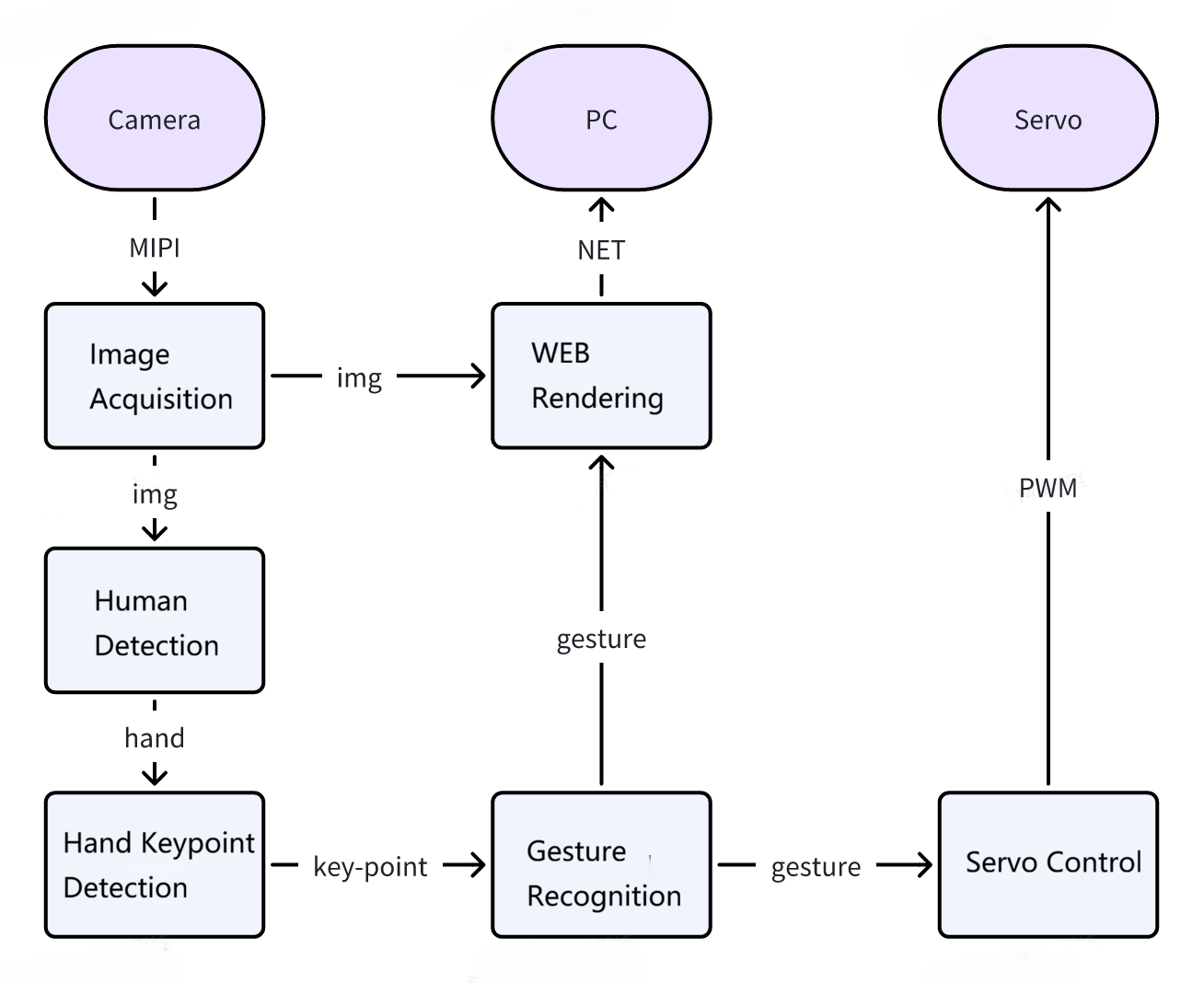
- Human Detection: https://github.com/D-Robotics/mono2d_body_detection
- Hand Keypoint Detection: https://github.com/D-Robotics/hand_lmk_detection
- Gesture Recognition: https://github.com/D-Robotics/hand_gesture_detection
- Web Rendering: https://github.com/D-Robotics/hobot_websocket
- Model Inference Library: https://github.com/D-Robotics/hobot_dnn/tree/magicbox-v1.0.0
- Servo Control Library: https://github.com/D-Robotics/magicbox_servo_control
- Lighting Control Library: https://github.com/D-Robotics/magicbox_lighting_control
IP Address Explanation
- When configuring the network via Flash Connection, the IP is http://192.168.128.10.
- When configuring the network via Ethernet, the IP is http://192.168.127.10.
Model Information
| Function | Model | Input Size | Inference Frame Rate (fps) |
|---|---|---|---|
| Human Detection | fastrcnn | 1x3x544x960 | 125.21 |
| Hand Keypoint Detection | handLMKs | 8x21 | 948 |
| Gesture Recognition | gestureDet | 8x21 | 1252.44 |
Hand Gestures and Trigger Actions
| Gesture | Hand Movement | Trigger Action |
|---|---|---|
| ThumbUp | Thumbs up | Rocking arm shakes |
| Victory | "V" gesture | Rocking arm lifts |
| ThumbLeft | Thumb pointing left | Raise left rocking arm |
| ThumbRight | Thumb pointing right | Raise right rocking arm |
| Okay | OK gesture | Light flashes |
Functional Architecture Diagram
Startup Steps
-
Use the following command to start the gesture interaction feature.
  cd /userdata/magicbox
  source /opt/tros/humble/setup.bash
  source app/ros_ws/install/setup.bash
ros2 launch gesture_interaction gesture_interaction.launch.py -
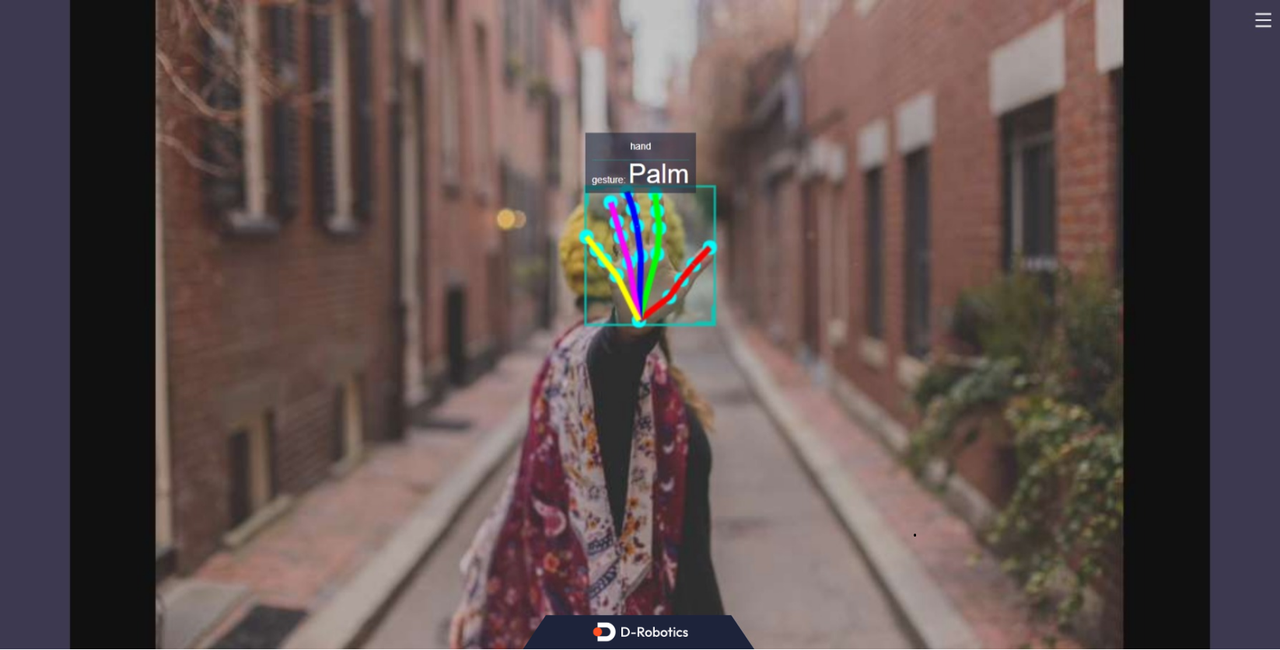
Access [IP]:8000 via a web browser to view the gesture interaction results.
Reference Materials
User Manual: Gesture Recognition