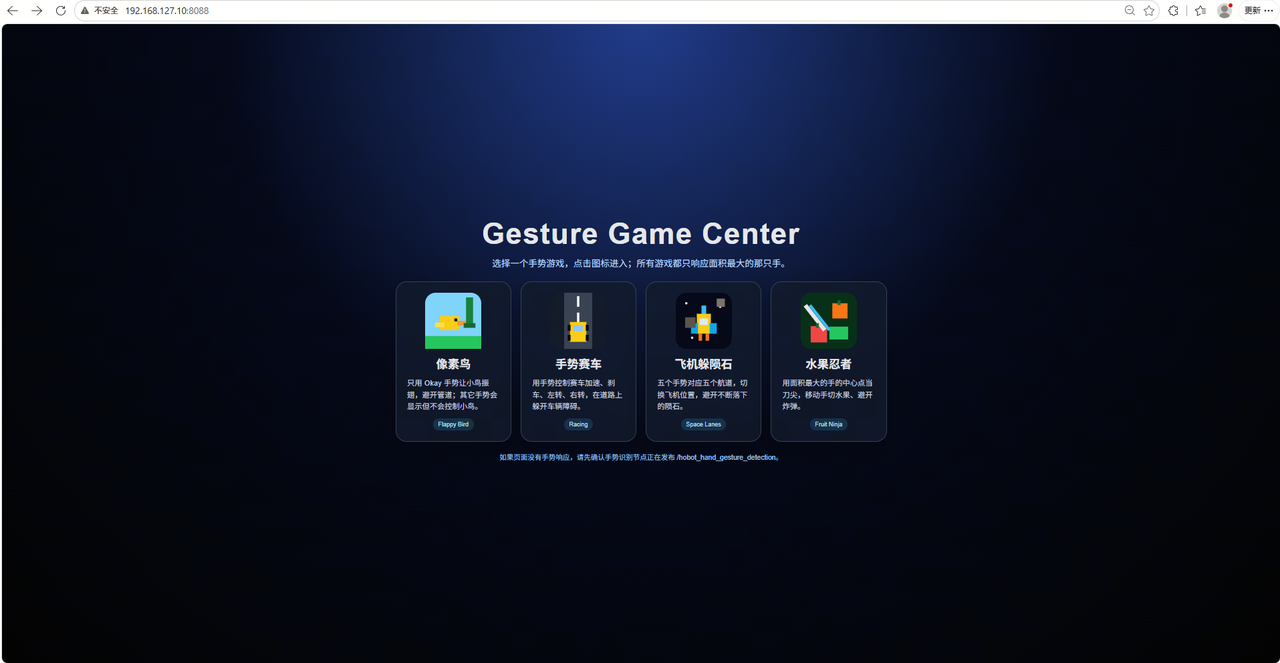
Gesture Interaction Game
Gesture interaction uses computer vision and AI to recognize hand motion, posture, and intent, then converts them into control commands a device can understand. A camera captures the gesture, and algorithms analyze and recognize it in real time for device control, command input, and state switching. Gesture interaction is an important input method for intelligent robots, human-machine collaboration, smart terminals, and virtual reality. It makes operation more convenient and more intelligent.
| Hardware | Model | Performance benchmark |
|---|---|---|
| RDK X5 USB camera | Body detection: fastrcnn Hand landmark detection: handLMKs Gesture recognition: gestureDet | fastrcnn: 125.21 fps handLMKs: 948 fps gestureDet: 1252.44 fps |
Recognition Pipeline
This feature includes body detection, hand landmark detection, and gesture recognition. It uses ROS, and recognition is split across multiple nodes. The feature is packaged in TROS. The pipeline is as follows:
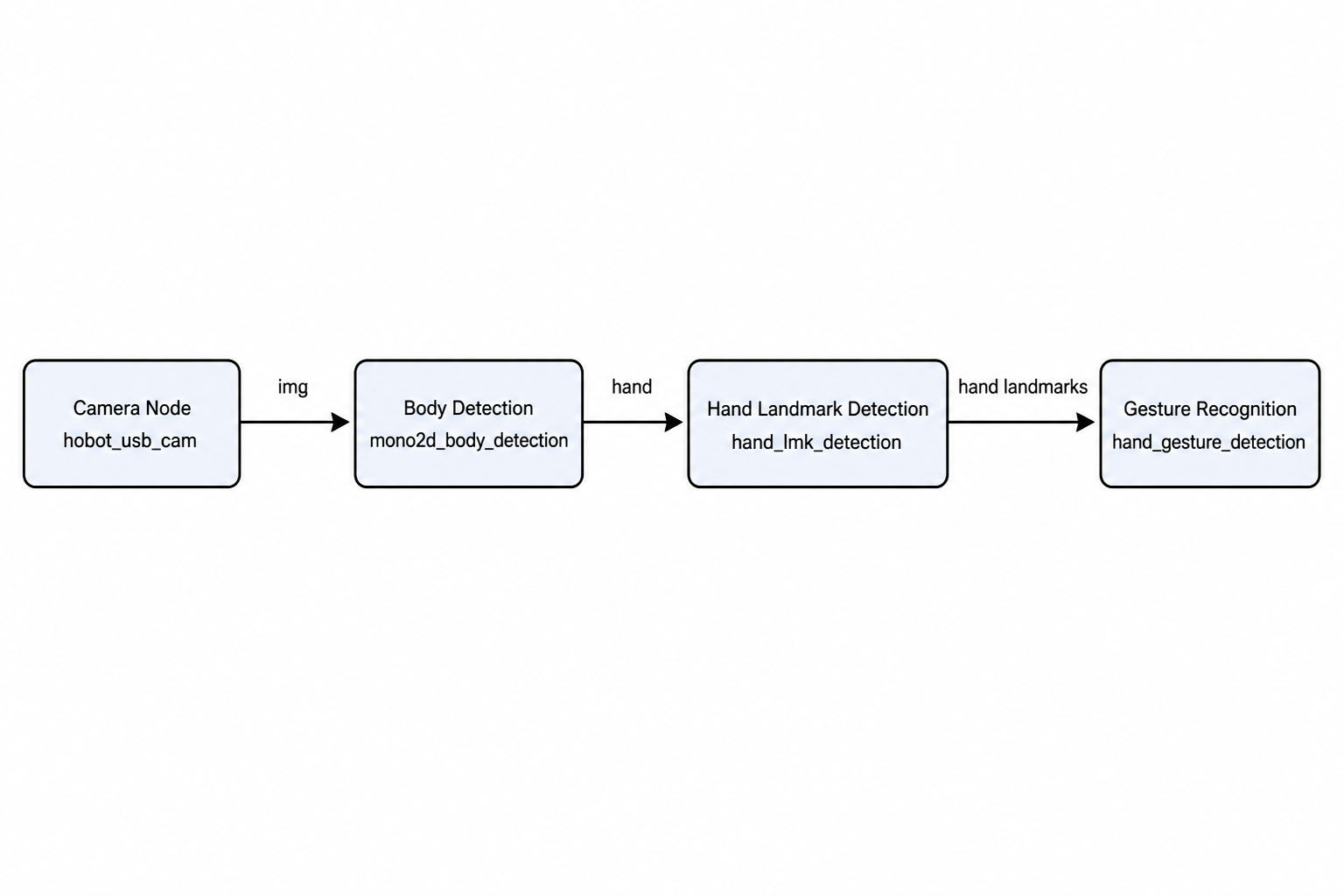
The message type is PerceptionTargets. For gesture message handling, see the on_gesture_msg function in the sample code. Get the sample code in Environment Setup.
Gesture Description
| Gesture | Description | Value |
|---|---|---|
| ThumbUp | Thumb up gesture | 2 |
| Victory | "V" gesture | 3 |
| Mute | "Shh" gesture | 4 |
| Palm | Palm gesture | 5 |
| Okay | OK gesture | 11 |
| ThumbLeft | Thumb pointing left | 12 |
| ThumbRight | Thumb pointing right | 13 |
| Awesome | 666 gesture | 14 |
Hardware Connection
Plug the USB camera into a USB port on the RDK X5 development board.
Environment Setup
Install Dependencies
sudo apt update
sudo apt install python3-colcon-common-extensions
Create a Workspace and Get the Code
mkdir -p gesture_game_ws/src
cd gesture_game_ws/src
wget https://archive.d-robotics.cc/downloads/rdk_demo/rdk_x5_demo/gesture_game_web.tar.gz
tar zxvf gesture_game_web.tar.gz
cd ..
source /opt/tros/humble/setup.bash
colcon build
Run the Sample
source /opt/tros/humble/setup.bash

# Copy the config files required by the sample from the tros.b install path.
cp -r /opt/tros/${TROS_DISTRO}/lib/mono2d_body_detection/config/ .
cp -r /opt/tros/${TROS_DISTRO}/lib/hand_lmk_detection/config/ .
cp -r /opt/tros/${TROS_DISTRO}/lib/hand_gesture_detection/config/ .

# Configure the USB camera
export CAM_TYPE=usb

source install/setup.bash
# Start the launch file
ros2 launch gesture_game_web gesture_game.launch.py
Results
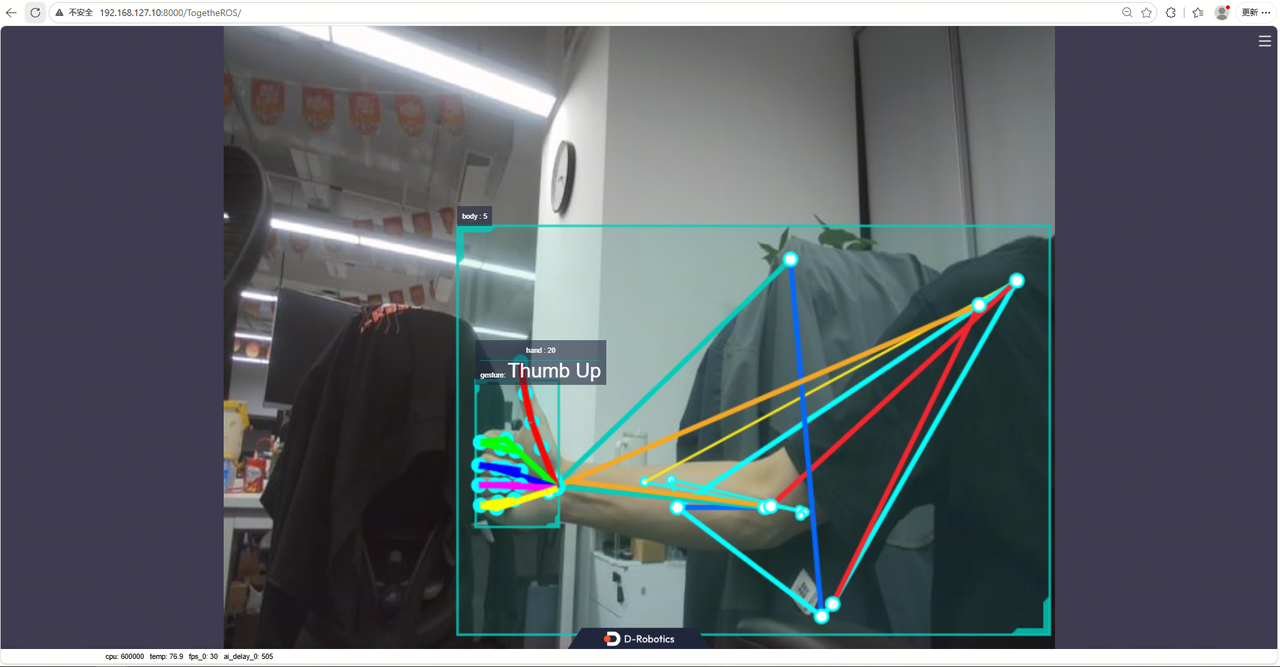
After startup, view the result in a browser on the PC. The PC and the board must be able to ping each other.
Open board-IP:8000 to view the algorithm recognition result
Open board-IP:8088 to try the gesture interaction game