Chatbot
A Large Language Model (LLM) is an AI model trained with deep learning on large-scale text. It can understand, generate, reason, and answer questions in natural language. It interprets user text or speech and produces semantically appropriate replies or actions. Through pretraining and instruction tuning, it learns language knowledge and reasoning, then uses context for dialogue, content creation, task planning, code generation, and more. LLMs are a core capability for intelligent robots, smart terminals, office assistants, and AI agents. They significantly improve natural interaction, knowledge services, and intelligent decision-making.
| Hardware | Model | Performance benchmark |
|---|---|---|
| RDK X5 USB speaker / wired headset | LLM: Qwen2.5-1.5b ASR: SenseVoice KWS: zipformer TTS: Matcha | Qwen2.5-1.5b: Prefill 22.5 TPS/s, Gen 5.3 TPS/s (8-core CPU) ASR: RTF 0.52 (8-core CPU) KWS: RTF 0.2 (single-core CPU) TTS: "你好我是地瓜机器人" generation time: 780 ms (8-core CPU) |
Hardware Connection
- Plug a USB speaker into a USB port on the RDK X5 development board.
- Plug a wired headset into the earphone audio jack on the RDK X5 development board.
Environment Setup
Install Dependencies
# Install dependencies
sudo apt install ros-humble-rmw-cyclonedds-cpp
pip install sentencepiece pypinyin
Download the LLM
wget https://archive.d-robotics.cc/downloads/rdk_demo/rdk_x5_demo/qwen2.5-1.5b-instruct-q5_k_m.gguf
Build sherpa-onnx
- CMake pulls dependency code. Make sure GitHub is reachable; retry if it fails.
- If you have already built it, skip this step.
wget https://archive.d-robotics.cc/downloads/rdk_demo/rdk_x5_demo/sherpa-onnx.tar.gz
tar zxvf sherpa-onnx.tar.gz
cd sherpa-onnx
mkdir build
cd build
cmake -DCMAKE_BUILD_TYPE=Release ..
make -j6
make install .
Build llama.cpp
- The build process pulls packages. Make sure the network is available.
- If you have already built it, skip this step.
wget https://archive.d-robotics.cc/downloads/rdk_demo/rdk_x5_demo/llama.cpp.tar.gz
tar zxvf llama.cpp.tar.gz
cd llama.cpp
cmake -B build
cmake --build build --config Release -j6

mkdir -p chat_ws/src
cd chat_ws/src
wget https://archive.d-robotics.cc/downloads/rdk_demo/rdk_x5_demo/magicbox_audio_io.tar.gz
wget https://archive.d-robotics.cc/downloads/rdk_demo/rdk_x5_demo/magicbox_qwen_llm.tar.gz
tar zxvf magicbox_audio_io.tar.gz
tar zxvf magicbox_qwen_llm.tar.gz

# Soft-link llama.cpp
ln -s /path/to/llama.cpp/ magicbox_qwen_llm/llama.cpp
cd ..

# The build process pulls packages. Make sure the network is available
source /opt/tros/humble/setup.bash
colcon build --packages-select audio_io --cmake-args -DUSE_LIGHT_CONTROL=OFF
colcon build --packages-select qwen_llm --cmake-args -DPLATFORM_X5=ON
Run the Sample
- This feature captures microphone input for ASR. Try it in a quiet environment. A noise-canceling audio device is recommended.
- To specify the audio device at runtime, see Earphone Audio Jack. For more configuration, see the README in the sample code.
- English conversation is not yet supported.
The workspace path, model configuration directory, model file path, and audio device name in the following commands are example values. Modify them according to your actual environment, and confirm that the corresponding files, directories, and devices exist before running the commands.
Launch Command Parameters
| Parameter or command | Purpose | What to confirm |
|---|---|---|
source /opt/tros/humble/setup.bash | Loads the ROS 2 environment for RDK X5 | Whether the system environment script exists |
source chat_ws/install/setup.bash | Loads the chatbot workspace | Whether chat_ws is in the current directory |
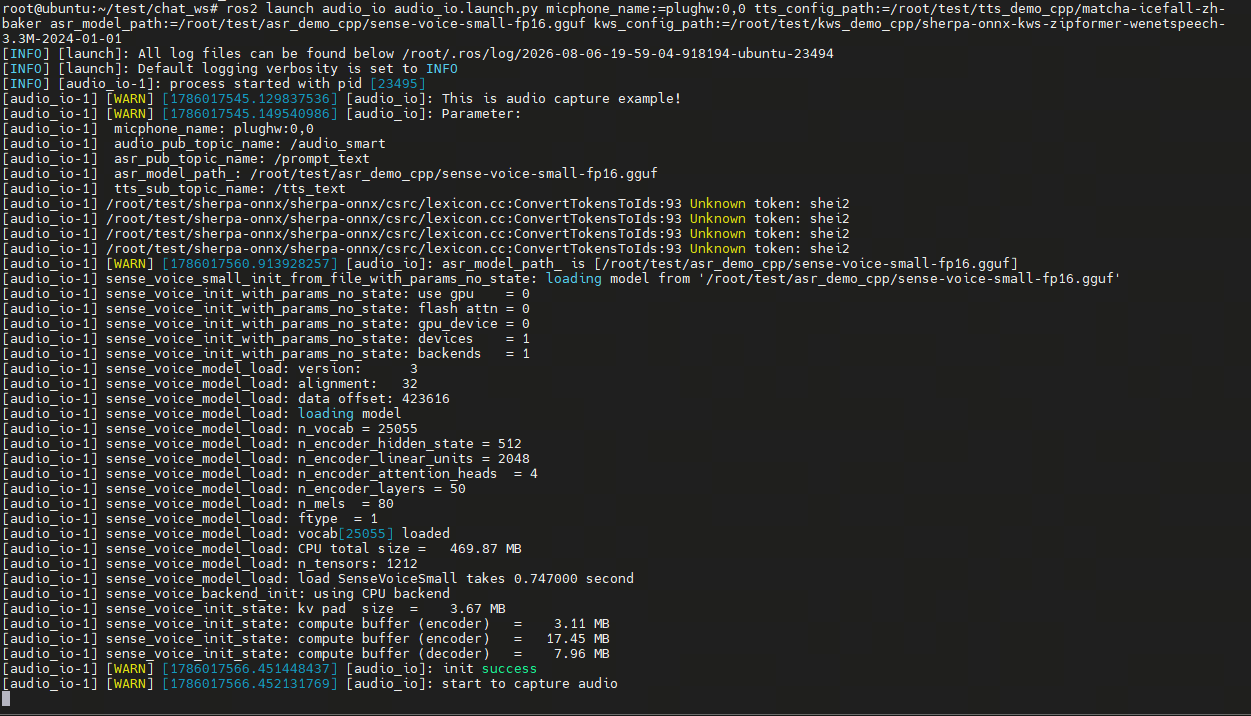
ros2 launch audio_io audio_io.launch.py | Starts the audio input, speech recognition, and speech synthesis nodes | Whether the workspace is built and loaded correctly |
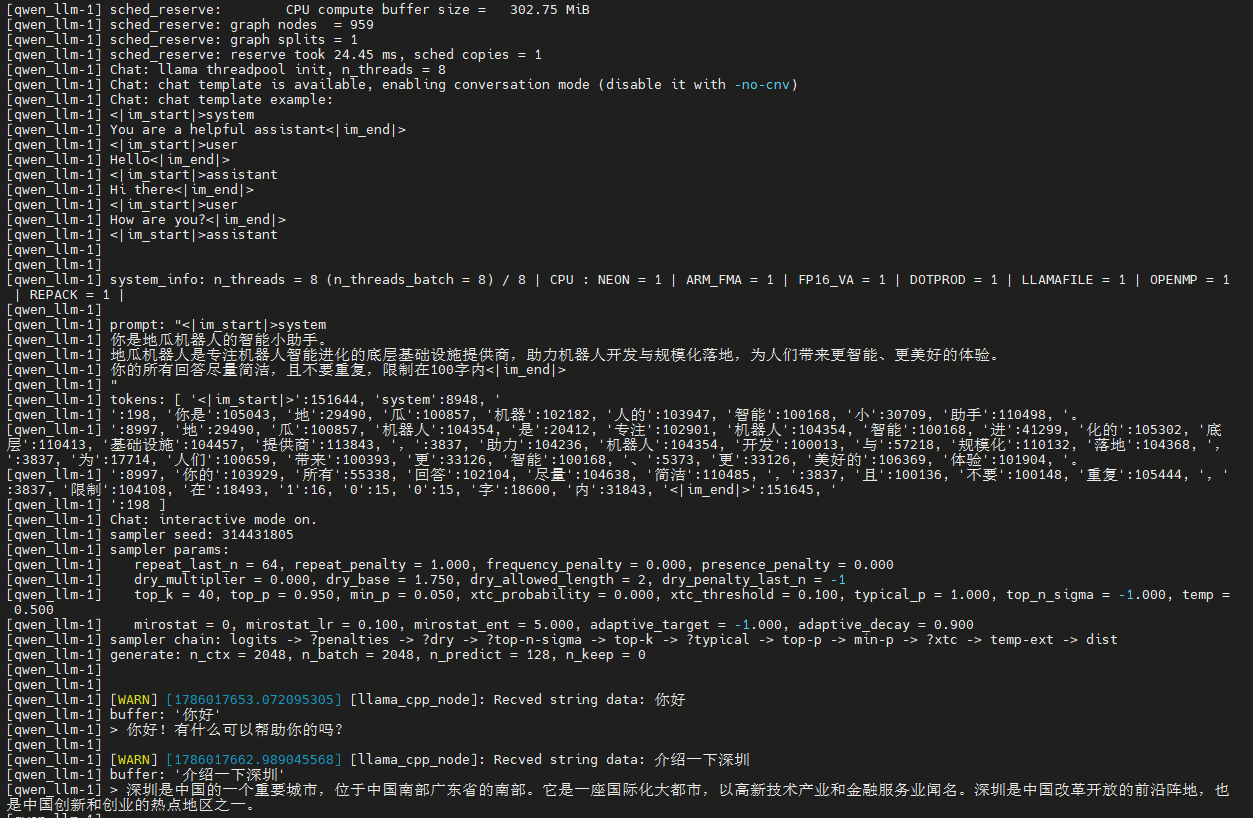
ros2 launch qwen_llm qwen_llm.launch.py | Starts the LLM inference node | Whether the workspace is built and loaded correctly |
micphone_name | Specifies the microphone device | Whether the device name matches the audio device in use |
tts_config_path | Specifies the TTS model configuration directory | Whether the directory exists and contains the complete model files |
asr_model_path | Specifies the ASR model file | Whether the file path and file name are correct |
kws_config_path | Specifies the KWS model configuration directory | Whether the directory exists and contains the complete model files |
llm_model_path | Specifies the LLM model file | Change to the actual path of the downloaded model file |
# Set the TTS, ASR, and KWS model paths
# Model loading is slow after startup. Please wait
source /opt/tros/humble/setup.bash
source chat_ws/install/setup.bash
ros2 launch audio_io audio_io.launch.py micphone_name:=plughw:2,0 tts_config_path:=/root/test/audio_demo/tts_demo_cpp/matcha-icefall-zh-baker asr_model_path:=/root/test/audio_demo/asr_demo_cpp/sense-voice-small-fp16.gguf kws_config_path:=/root/test/audio_demo/kws_demo_cpp/sherpa-onnx-kws-zipformer-wenetspeech-3.3M-2024-01-01
# Open another terminal
# Model loading is slow after startup. Please wait
source /opt/tros/humble/setup.bash
source chat_ws/install/setup.bash
ros2 launch qwen_llm qwen_llm.launch.py llm_model_path:=/root/qwen2.5-1.5b-instruct-q5_k_m.gguf