Speech-to-Text (ASR)
ASR (Automatic Speech Recognition) converts spoken language into text in real time. It is a foundation for voice assistants, meeting notes, intelligent customer service, and voice input.
| Hardware | Model | Performance benchmark |
|---|---|---|
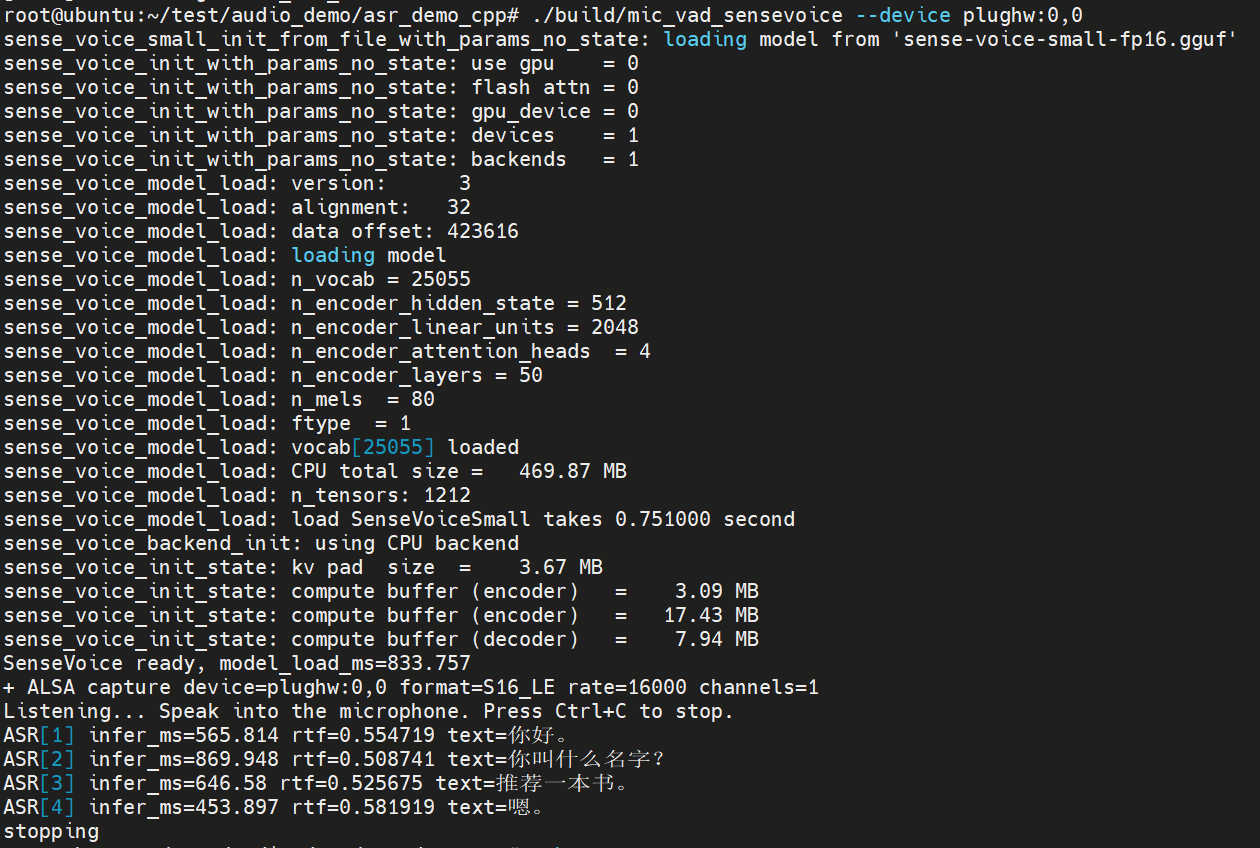
| RDK X5 USB speaker / wired headset | SenseVoice | RTF (inference_time_seconds/audio_seconds): 0.52 (8-core CPU) |
Hardware Connection
- Plug a USB speaker into a USB port on the RDK X5 development board.
- Plug a wired headset into the earphone audio jack on the RDK X5 development board.
Environment Setup
Install Dependencies
sudo apt update
sudo apt install libasound2-dev
Get the Sample Code and Build
wget https://archive.d-robotics.cc/downloads/rdk_demo/rdk_x5_demo/asr_demo_cpp.tar.gz
tar zxvf asr_demo_cpp.tar.gz
cd asr_demo_cpp
cmake -S . -B build
cmake --build build -j6
Run the Sample
Tip
- This feature captures microphone input for ASR. Try it in a quiet environment. A noise-canceling audio device is recommended.
- To specify the audio device at runtime, see Earphone Audio Jack. For more configuration, see the README in the sample code.
- If ASR cannot recognize speech, try lowering
thresholdandvad-threshold.
# Run from the asr_demo_cpp directory
./build/asr_microphone --device plughw:0,0 --threshold 0.03 --vad-threshold 0.5