Product introduction
The RDK™ Audio Kit is an audio development kit that supports full-duplex multi-channel recording and playback. The kit includes the RDK™ Audio Expansion Board, the RDK™ Audio Expansion Board Adapter, and the RDK™ Audio Expansion Board 4-Mic / 6-Mic Arrays. It supports switching between USB and I2S modes, and between single-channel and dual-channel I2S modes. It supports standard sample rates from 8 kHz to 96 kHz, provides dual-channel playback and 8-channel synchronized sampling, and supports up to 6 microphone inputs and 2 loopback inputs. It is suitable for audio processing such as echo cancellation, sound source localization, and far-field pickup, and can be widely used in scenarios such as smart conferencing, voice interaction, and robot hearing.
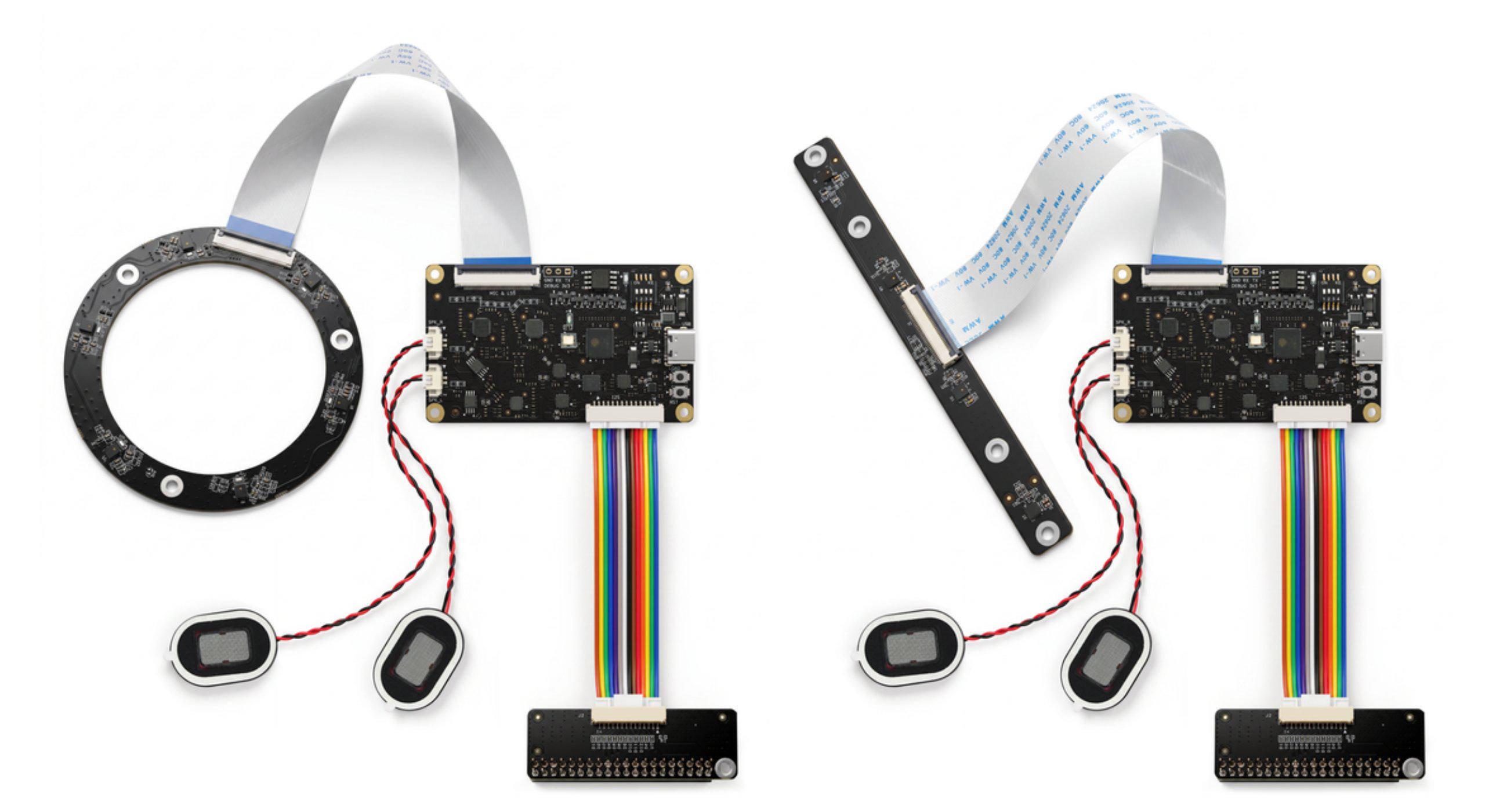
Supported boards
The following table lists the compatibility of this product with RDK developer kit boards:
| Board | Supported | Notes |
|---|---|---|
| RDK X3 | Not supported | Not tested or verified |
| RDK X3 Module | Not supported | Not tested or verified |
| RDK X5 | Supported | - |
| RDK X5 Module | Supported | - |
| RDK S100/S100P | Supported | - |
| RDK S600 | Supported | - |
Hardware interface overview
RDK Audio Expansion Board
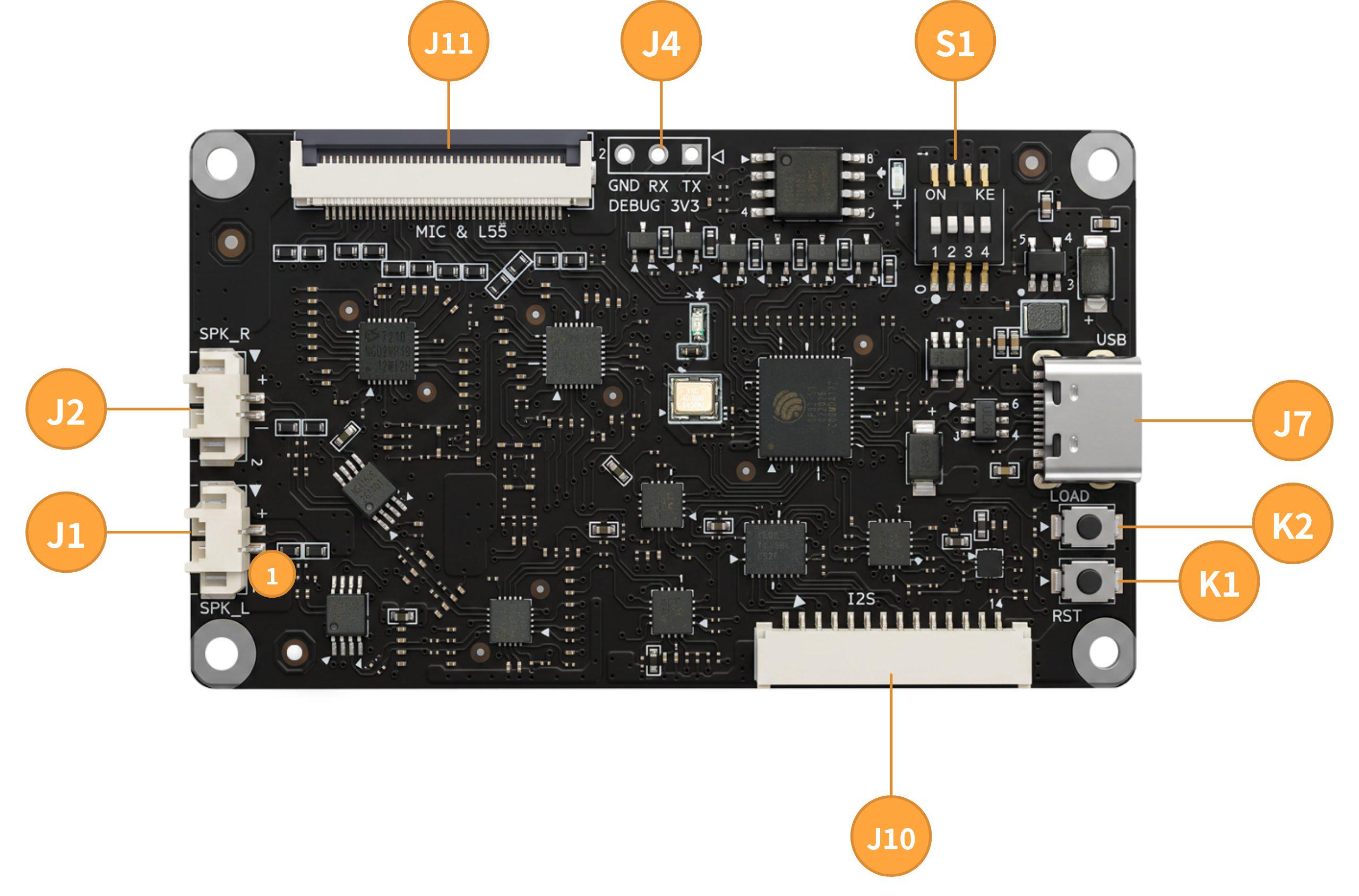
| Silkscreen | Interface | Description |
|---|---|---|
| K1 | Reset button | Resets the audio module. |
| K2 | LOAD button | Switches the audio module state. |
| S1 | Audio interface selector switch | Selects the audio interface, channel count, reference level, and other properties. |
| J1 | Left-channel amplifier interface | Connects a speaker for left-channel audio output. |
| J2 | Right-channel amplifier interface | Connects a speaker for right-channel audio output. |
| J4 | Debug UART | For internal debugging; do not use. |
| J7 | USB interface | For firmware flashing and USB audio signal transmission. |
| J10 | Audio digital interface | For I2C configuration and audio signal transmission. |
| J11 | Microphone array interface | Connects the RDK audio core board to the RDK 4-Mic or 6-Mic array. |
RDK Audio Expansion Board Adapter
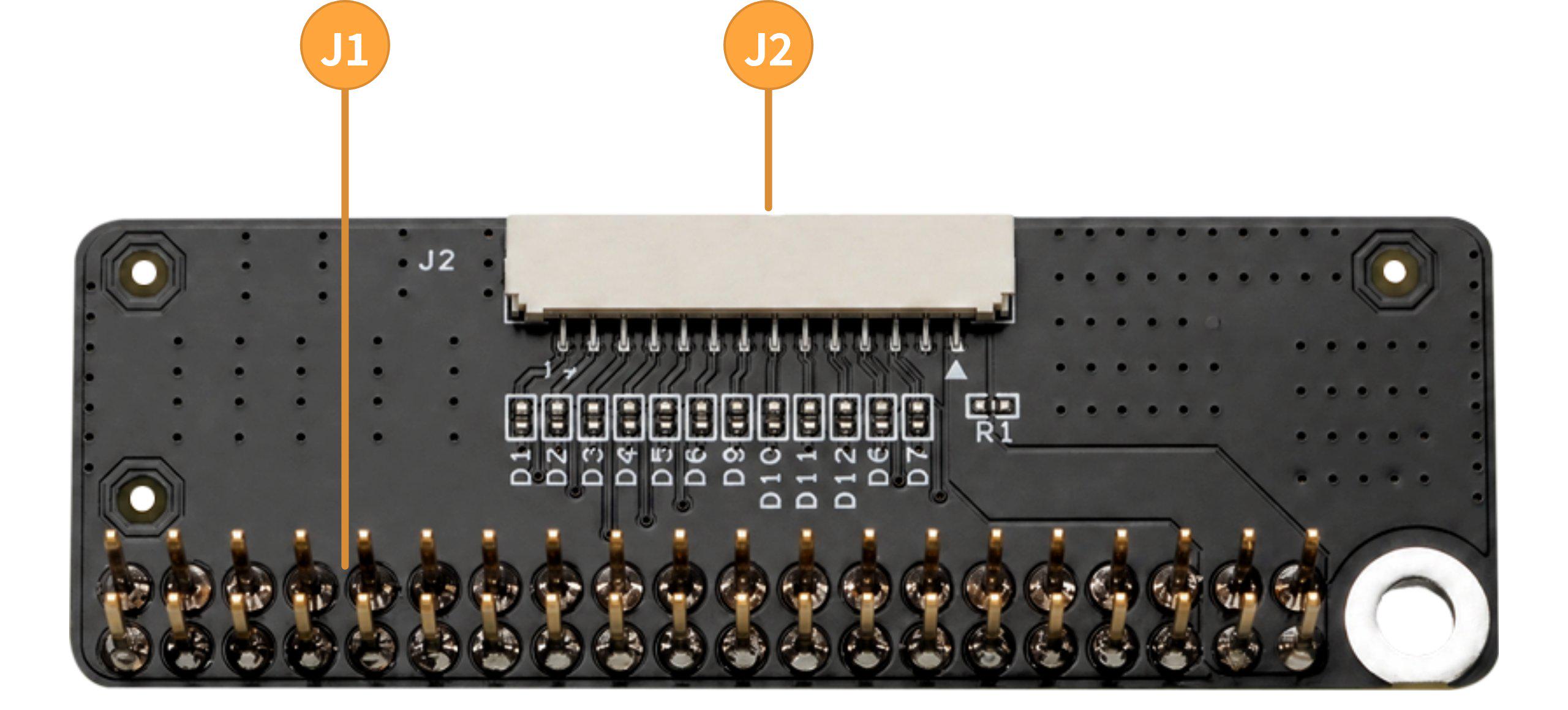
| Silkscreen | Interface | Description |
|---|---|---|
| J1 | 40PIN interface | Connects to a development board with a 40PIN header. |
| J2 | Audio digital interface | Breaks out the audio-related interfaces for connecting the audio module. |
RDK Audio Expansion Board 4-Mic Array
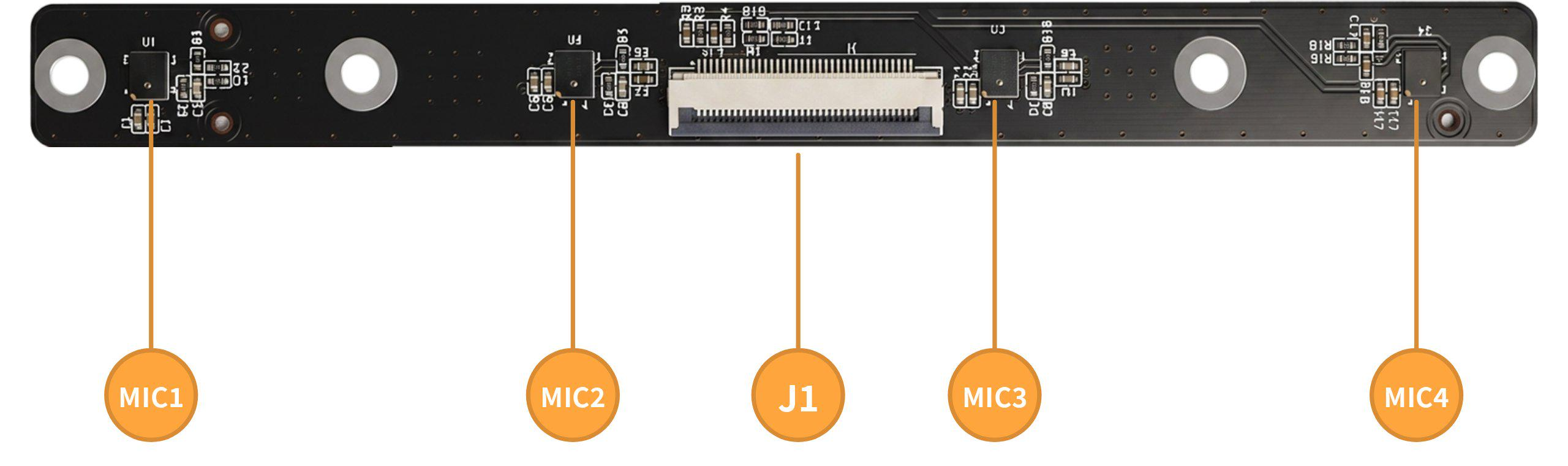
| Silkscreen | Interface | Description |
|---|---|---|
| J1 | Microphone array interface | Connects the RDK audio core board to the RDK 4-Mic array. |
| MIC1-MIC4 | Microphones 1-4 | Pick up multi-point audio to form multi-channel spatial audio. |
RDK Audio Expansion Board 6-Mic Array
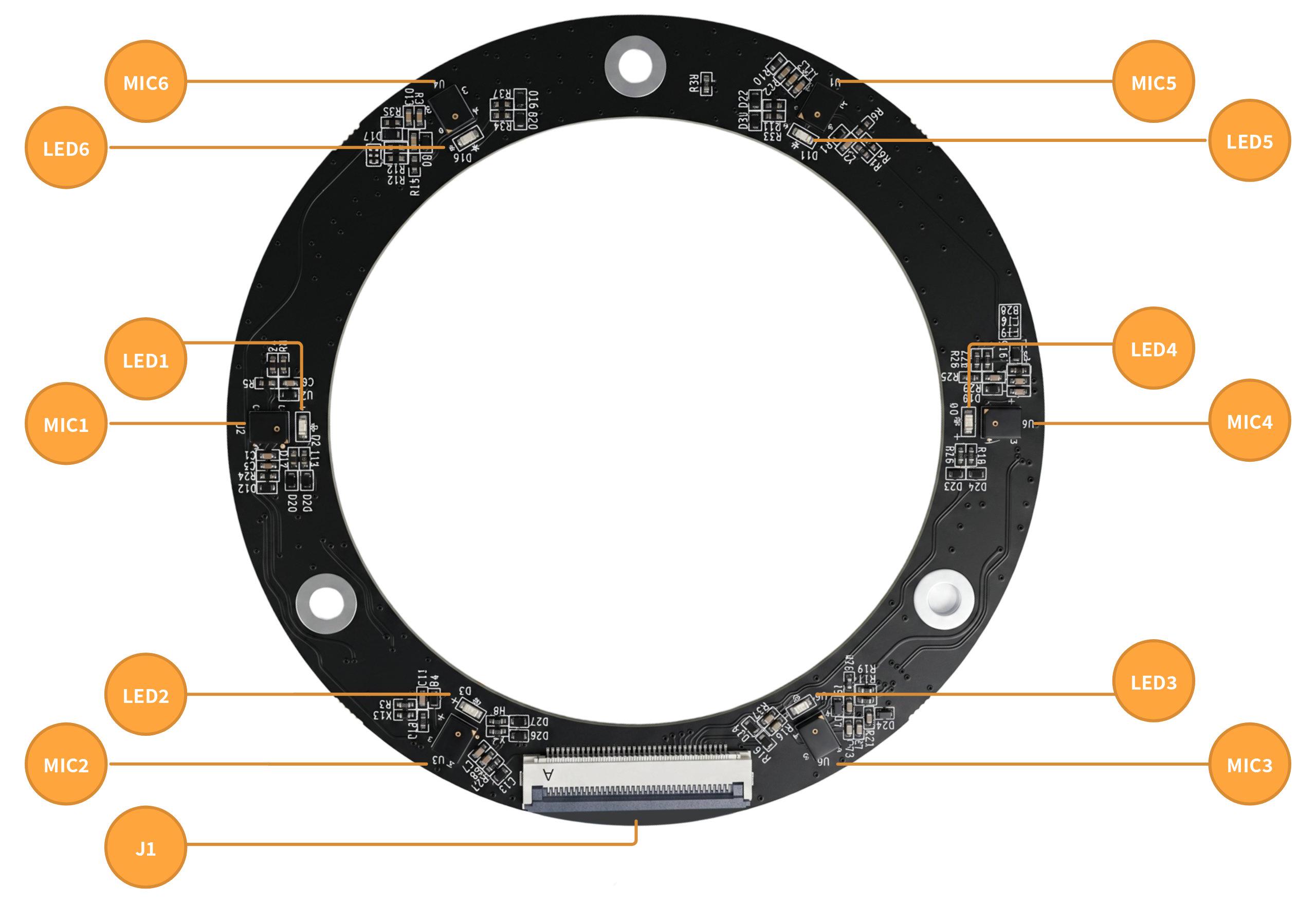
| Silkscreen | Interface | Description |
|---|---|---|
| J1 | Microphone array interface | Connects the RDK audio core board to the RDK 6-Mic array. |
| MIC1-MIC6 | Microphones 1-6 | Pick up multi-point audio to form multi-channel spatial audio. |
| LED1-LED6 | LEDs 1-6 | Indicate the sound source direction or user-defined control. |
For detailed hardware description, see Hardware Description.
Key specifications
| Item | Description |
|---|---|
| DAC model & quantity | ES8156×1 |
| DAC SNR | 110 dB |
| ADC model & quantity | ES7210×2 |
| ADC SNR | 102 dB |
| Output channels | 2 stereo channels |
| Input channels | 6 Mic + 2 amplifier loopback feedback |
| Supported sample rates | 8 / 11.025 / 16 / 22.05 / 32 / 44.1 / 48 / 88.2 / 96 kHz |
| Digital interface types | I2C, I2S, USB |
| Operating temperature | 0-65°C |