5.4.3 Pose Detection
Overview
The pose detection App subscribes to image messages published by the camera, detects human keypoints, analyzes human pose, and publishes pose events.
Pose events are published using a custom algorithm message type. Users can subscribe to this topic for application development.
Currently, only fall detection is supported, which detects whether a person has fallen.
Code repository: (https://github.com/D-Robotics/hobot_falldown_detection)
Supported Platforms
| Platform | Runtime Environment | Example Functionality |
|---|---|---|
| RDK X3, RDK X3 Module | Ubuntu 20.04 (Foxy), Ubuntu 22.04 (Humble) | Start MIPI/USB camera to capture images, perform human keypoint detection and pose detection, display images and algorithm results via Web, and publish pose events |
| RDK X5, RDK X5 Module | Ubuntu 22.04 (Humble) | Start MIPI/USB camera to capture images, perform human keypoint detection and pose detection, display images and algorithm results via Web, and publish pose events |
Preparation
RDK Platform
-
The RDK has been flashed with the Ubuntu system image.
-
TogetheROS.Bot has been successfully installed on the RDK.
-
Ensure the PC and RDK are on the same network segment, with the first three octets of the IP address matching.
-
A MIPI or USB camera has been installed on the RDK.
Usage
RDK Platform
The pose detection package subscribes to data published by the human keypoint detection package, performs algorithm inference, and publishes algorithm messages. The websocket package renders and displays the published images and algorithm results in a PC browser.
Tip: When testing the App, rotate the camera 90 degrees to simulate a person falling.
Publish images using MIPI camera
- Foxy
- Humble
# Configure tros.b environment
source /opt/tros/setup.bash
# Configure tros.b environment
source /opt/tros/humble/setup.bash
- Humble
# Configure tros.b environment
source /opt/tros/humble/setup.bash
# Copy the configuration files required for the example from the tros.b installation path.
cp -r /opt/tros/${TROS_DISTRO}/lib/mono2d_body_detection/config/ .

# Configure MIPI camera
export CAM_TYPE=mipi

# Launch the launch file
ros2 launch hobot_falldown_detection hobot_falldown_detection.launch.py
Publish images using USB camera
- Foxy
- Humble
# Configure tros.b environment
source /opt/tros/setup.bash
# Configure tros.b environment
source /opt/tros/humble/setup.bash
- Humble
# Configure tros.b environment
source /opt/tros/humble/setup.bash
# Copy the configuration files required for the example from the tros.b installation path.
cp -r /opt/tros/${TROS_DISTRO}/lib/mono2d_body_detection/config/ .

# Configure USB camera
export CAM_TYPE=usb

# Launch the launch file
ros2 launch hobot_falldown_detection hobot_falldown_detection.launch.py
For parameter descriptions in the run commands, refer to the README.md in the hobot_falldown_detection package source code.
Result Analysis
After starting the pose detection package, the terminal outputs the following information:
[hobot_falldown_detection-4] [INFO] [1660271558.250055538] [body_kps_Subscriber]: receive targetType: personpointType: body_kps
[hobot_falldown_detection-4] [INFO] [1660271558.250598996] [fall_down_publisher]: track_id: 1 is fall down
The log output shows that body_kps data was subscribed and a pose event was published.
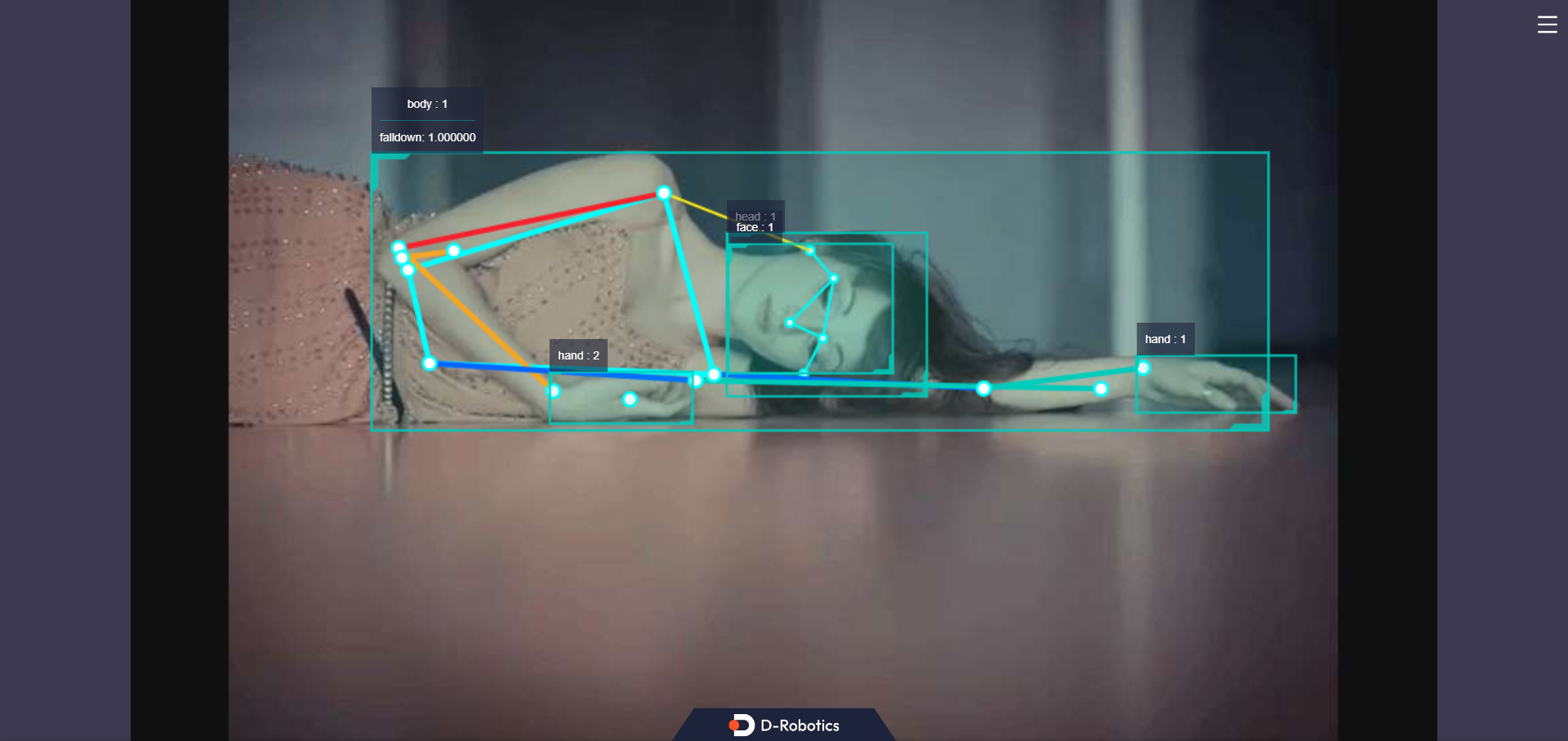
Enter http://IP:8000 in a PC browser to view the human detection boxes, keypoints, and pose detection results rendered on the web (IP is the RDK's IP address):